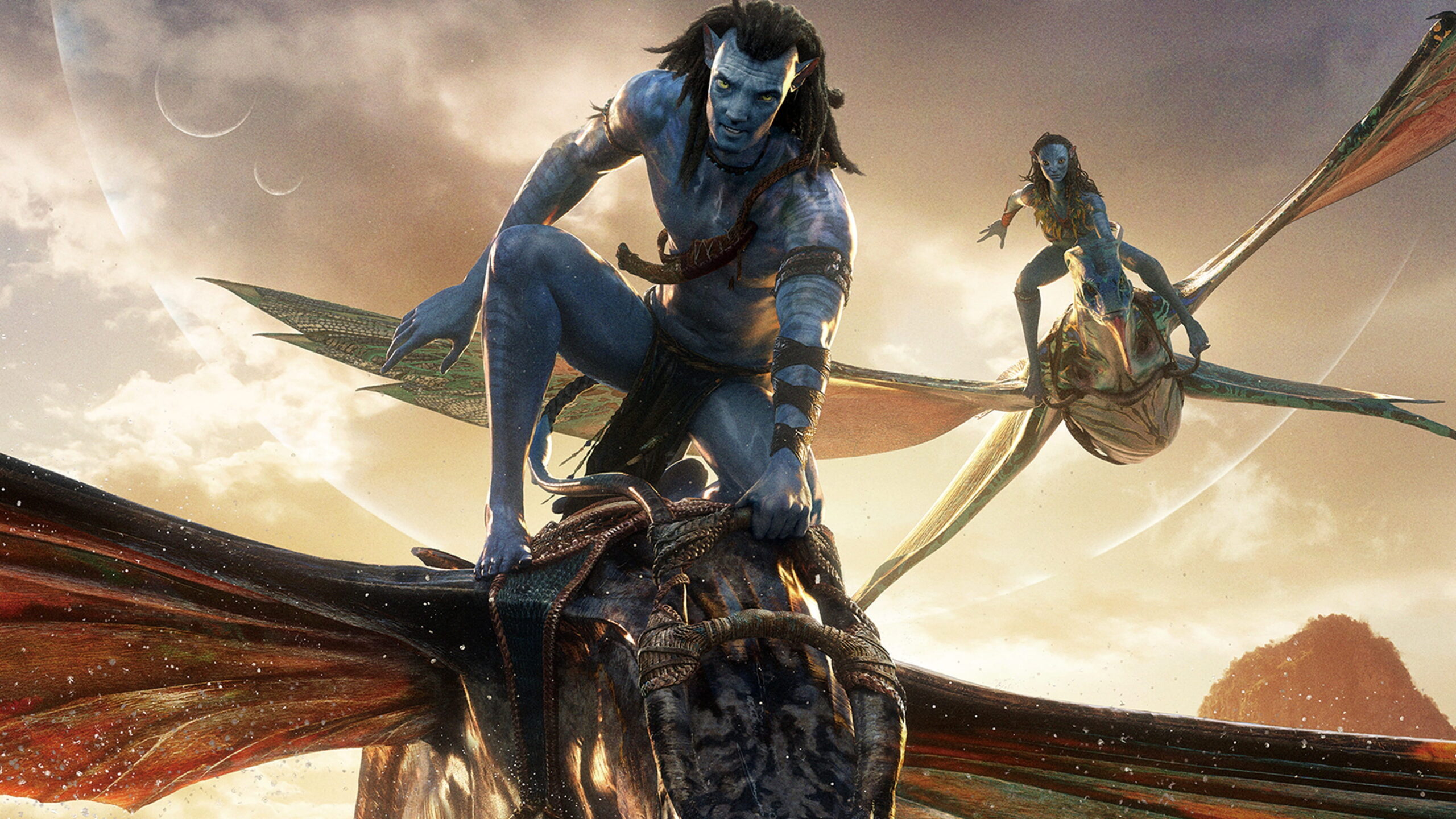
The world of digital art and content creation has been revolutionized by Artificial Intelligence, and at the forefront of this revolution stands Gemini AI. Specifically, the emergence of Gemini Veo 3 has set a new benchmark for generating visuals that were once confined to the realm of multi-million dollar CGI studios. Imagine crafting breathtaking alien landscapes, intricate character designs, and immersive scenes that rival the visual grandeur of James Cameron’s Avatar—all with a few simple prompts, and surprisingly, without needing extensive prior design experience.
Many believe that high-quality AI art requires expensive subscriptions, but the reality is there are several ways to access advanced capabilities, often as an AI free user or through strategic trials. This comprehensive guide will show you how to leverage Gemini Veo 3 to its fullest potential, transforming your creative visions into stunning realities in mere seconds. Get ready to unlock your inner digital artist!
Key Takeaways
- Gemini Veo 3 offers unparalleled photorealism and artistic flexibility.
- Strategic prompting is key to achieving ‘Avatar’-level visual quality.
- Explore integrated platforms and developer tools for advanced access.
- Learn to combine textual descriptions with visual cues for better results.
- Regular practice and iteration will significantly improve your AI art skills.
The Power Behind Gemini Veo 3: Beyond Basic Image Generation
Gone are the days when AI-generated images looked synthetic or rudimentary. Gemini Veo 3 represents a monumental leap forward in diffusion models, offering:
- Unrivaled Photorealism: The ability to generate images that are almost indistinguishable from real photographs, capturing nuanced lighting, textures, and atmospheric effects.
- Complex Scene Composition: Veo 3 can understand intricate relationships between objects, characters, and environments, allowing for highly detailed and coherent scene generation.
- Creative Control: From specific art styles (like “surreal sci-fi” or “bioluminescent fantasy”) to precise camera angles and lighting conditions, Veo 3 provides an impressive degree of control.
- Rapid Iteration: Generate multiple variations of an image in seconds, allowing artists and designers to quickly explore different concepts and refine their vision.
Choosfy Expert Insight: “Having tested numerous AI art generators, I can confidently say that Gemini Veo 3 pushes the boundaries of what’s possible. The level of detail it can achieve in complex scenes—especially organic, fantastical environments—is astounding. It’s not just generating images; it’s building worlds. For anyone serious about digital art, learning Veo 3 is essential.”

Crafting Your ‘Avatar’-Style Prompts: Secrets to Visual Majesty
Achieving ‘Avatar’-level graphics isn’t just about the AI model; it’s about how you speak to it. Here’s how to formulate prompts that unleash the full potential of Gemini Veo 3:
- Be Descriptive, Not Just Directive: Instead of “alien forest,” try “a bioluminescent alien forest at twilight, with glowing flora and fauna, dense overgrown jungle, thick fog, mystical atmosphere, vibrant neon colours, hyperrealistic, cinematic lighting, 8k resolution, volumetric light.”
- Specify Art Style and Mood: Add descriptors like “photorealistic,” “epic fantasy,” “sci-fi,” “dreamlike,” “eerie,” “serene,” or “dramatic.”
- Define Camera Angles and Lighting: “Wide shot,” “dramatic close-up,” “overhead view,” “golden hour lighting,” “moonlight,” “harsh shadows,” or “soft ambient light” can drastically change the output.
- Include Technical Details: “8K resolution,” “Unreal Engine 5 render,” “cinematic depth of field,” “ray tracing” can push the realism further.
- Iterate and Refine: The first prompt is rarely perfect. Generate multiple images, identify what works and what doesn’t, then refine your prompt based on the results.
Here’s an example prompt that could generate an Avatar-esque scene: “A majestic Na’vi warrior standing on a floating island, looking out over Pandora, with bioluminescent flora glowing under a double moon. Epic wide shot, breathtaking, hyperrealistic, intricate details, cinematic lighting, volumetric fog, vibrant blue and purple hues, 8k, photorealistic, fantasy art by WETA Digital.”
Accessing Gemini Veo 3: Free and Advanced Pathways
While premium access to the most powerful iterations of Gemini AI (including Veo 3) often comes with a subscription, there are several ways to get your hands on these advanced tools, sometimes even as an AI free user or through specific programs.
- Google AI Studio Integration: As mentioned in our previous guide, Google AI Studio often provides access to the latest and most powerful Gemini models. When Veo 3 capabilities are integrated into these models, you can leverage them for free within developer rate limits. This is ideal for testing and smaller projects.
- Google Cloud AI Platform (Trial Credits): For serious users and small businesses, Google Cloud offers substantial free trial credits. You can use these credits to access Google’s advanced AI services, including those that power Veo 3, allowing for more intensive usage without immediate cost. This is a great way to explore the full suite of tools.
- Educational & Research Programs: If you’re a student or researcher, check for special programs from Google that grant free or discounted access to their cutting-edge AI technologies for academic purposes.
- Hardware Bundles: Keep an eye out for new hardware releases (like Pixel devices or AI-optimized laptops) that might come bundled with promotional free access periods to Gemini Advanced, which would include Veo 3 capabilities.
Real-World Examples: Bringing ‘Avatar’ to Life
Let’s look at how Gemini Veo 3 can translate complex ideas into stunning visuals.
- Example 1: The Floating Mountains:
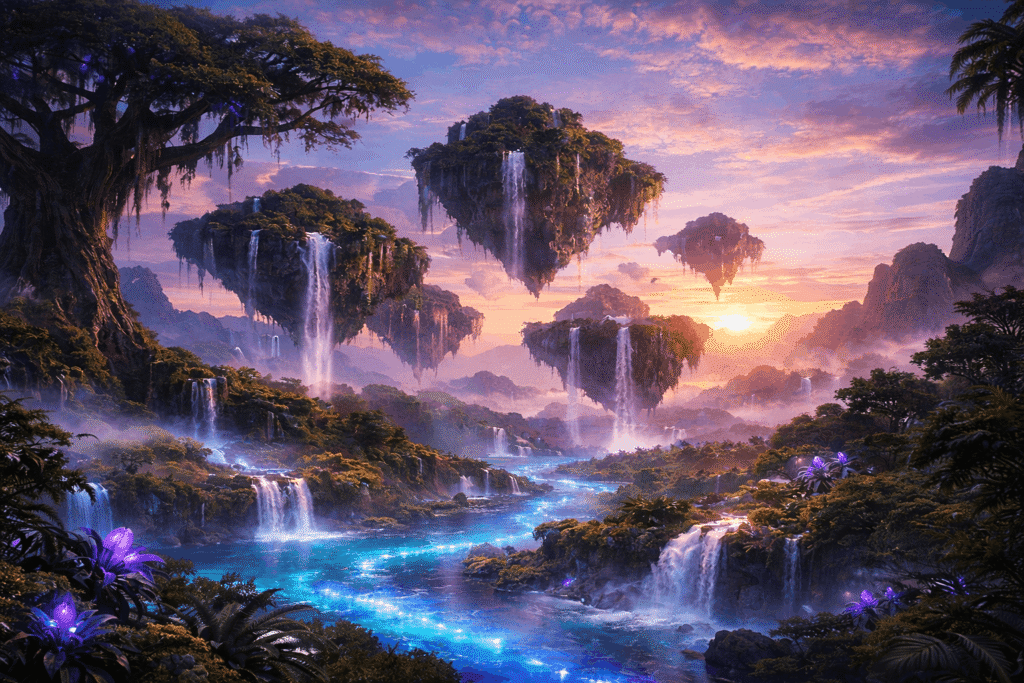
- Prompt: “Floating mountains of Pandora, lush alien vegetation, waterfalls cascading into bioluminescent rivers, ancient colossal trees, vibrant blue and purple hues, mist, sunrise lighting, epic wide shot, hyperrealistic, cinematic, 8k render.”
- Result: A breathtaking landscape echoing the majestic Hallelujah Mountains from Avatar, with impossible geological formations draped in exotic, glowing flora.
- Example 2: A Na’vi Hunter:
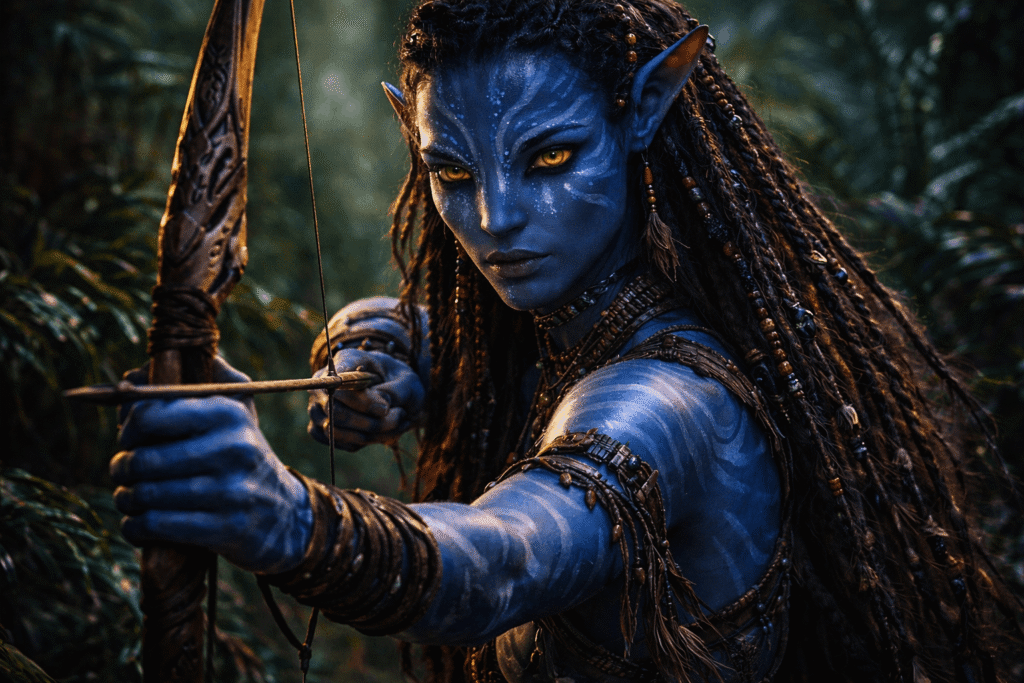
- Prompt: “Detailed portrait of a fierce Na’vi female hunter, blue skin, intricate tribal patterns, glowing eyes, braided hair with beads, focused expression, holding a bow made of exotic wood, dense jungle background, soft rim lighting, hyperrealistic, fantasy character concept art.”
- Result: A stunning character portrait with incredible detail in the skin texture, facial expression, and tribal adornments, ready for a movie concept art portfolio.

Conclusion
The ability to create ‘Avatar’ movie-style graphics in seconds is no longer a futuristic dream but a present reality, thanks to the advancements in Gemini AI, particularly with models like Veo 3. By mastering the art of detailed prompting and strategically utilizing available access points (including AI free developer tools and trials), you can unlock a universe of creative possibilities.
Whether you’re a budding digital artist, a content creator, or simply fascinated by the power of AI, embracing Gemini Veo 3 will elevate your visual projects to cinematic heights. Start experimenting today, and prepare to be amazed by the breathtaking worlds you can conjure with just a few words. The next visual masterpiece is just a prompt away
FAQs
Is Gemini Veo 3 truly capable of generating 8K resolution images?
While Gemini Veo 3 can generate images with incredible detail and clarity, achieving a true native 8K resolution might depend on the specific platform and any upscaling capabilities integrated. However, the visual quality is often so high that it scales beautifully for large displays.
Can I use Gemini Veo 3 for commercial projects?
The commercial use of AI-generated art depends on Google’s specific terms of service for the platform you are using (e.g., Google AI Studio, Google Cloud). Always review these terms carefully before using AI-generated content for commercial purposes.
What if my prompts aren’t yielding ‘Avatar’-level results?
Don’t get discouraged! AI art generation is an iterative process. Try being more specific with your descriptions, experimenting with different art styles, adding more technical details (like lighting and camera angles), and breaking down complex scenes into simpler elements. Reference movie stills or concept art for inspiration.
Is Gemini Veo 3 completely AI free?
While core Gemini AI capabilities are free, accessing the bleeding-edge Veo 3 features may require using developer platforms within their free tiers, educational accounts, or through trials of Google’s premium AI offerings. Always check current promotions and terms.

I am Md Amon Sk, a Website Developer with 2 years of experience. As part of the Choosfy Team, I focus on building quality websites and sharing the latest insights on AI tools.