

I was tired. Not just the I-need-a-coffee tired, but the kind of exhaustion that comes from spending 10 hours a day on tasks that felt meaningless. I felt like a slave to my own laptop, drowning in emails, spreadsheets, and endless ‘to-do’ lists. I realized I wasn’t living; I was just processing data. That’s when I decided to take a radical step: I handed over my entire life’s work to an AI. I was terrified it would fail, but what happened next didn’t just save my time, it saved my sanity.
KEY TAKEAWAY: This isn't just a review; it's a confession. After years of feeling buried under digital tasks, I finally tried replacing my entire week's workflow with a single AI. The result? I cut my work week from 50+ hours to just 20. This wasn't just impressive; it was disproportionate.
The Breaking Point: Why Getting Things Done Was Killing My Week
For years, my work life was a meticulously organized mess. I had spreadsheets for everything, Trello boards for every project, and more browser tabs open than I care to admit. I was the king of “getting things done,” but at what cost? Fifty, sometimes sixty hours a week chained to my desk, often doing the same repetitive tasks: data aggregation, content scheduling, email filtering, report drafting, even basic design mock-ups.
I was doing a lot, but was I achieving a lot? Honestly, no. I felt like a human router, just directing information, not creating anything truly impactful. The “aha!” moment came when I spent an entire Tuesday just organizing notes for a meeting, only to realize an AI could have summarized the entire project in five minutes. That’s when I decided: enough is enough. I’m giving my entire workflow over to AI.
The Discovery: Why This New AI (Lovable AI) is Different
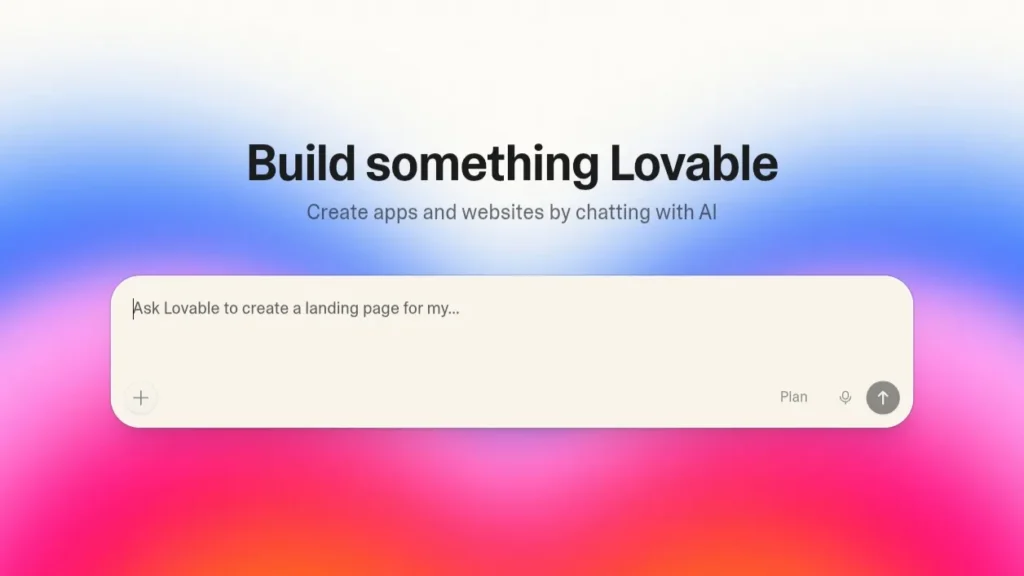
Lovable Ai Officeal Website – Lovable.ai
I’d dabbled with ChatGPT, sure, but I needed something more. I needed an AI that could do, not just chat. After researching many “AI agent” tools, I settled on Lovable AI. It claimed to build entire workflows, even simple apps, just from natural language prompts. It wasn’t just a chatbot; it was designed to be an orchestrator, connecting different tools and executing multi-step tasks autonomously.
My goal was audacious:
- Automate all client report generation.
- Manage social media content scheduling and initial drafting.
- Filter and prioritize all incoming communications.
- Even generate basic graphic concepts for presentations.
I fed it my existing processes, my preferences, and my integrations (Slack, Google Drive, Mailchimp, Asana). For the first few days, it felt like training a very eager, slightly clumsy intern. I had to be precise, correcting its assumptions, refining its logic. But something fascinating happened.

My New AI Workflow (The Step-by-Step Setup)
Here’s how I structured my new AI-powered work week:

1. Setting the Triggers: The Daily Brief Agent
My first task was to create an AI agent within Lovable AI that would compile a Daily Brief.
- Input: New emails, Slack mentions, Asana tasks due today, key industry news from RSS feeds.
- Output: A concise bulleted summary delivered to my personal Slack channel every morning at 8:00 AM.
- Before: 1-2 hours of checking different platforms.
- After: 5 minutes reviewing a single Slack message.
2. Automating the Decision Making: The “Content Creator” Agent
This was a game-changer for my content marketing.
- Input: A list of target keywords and a topic.
- Process: Lovable AI would research current trends, draft social media posts (X, LinkedIn, Instagram captions), suggest blog post outlines, and even generate initial graphic ideas using integrated image-gen tools.
- Before: 8-10 hours a week for brainstorming, drafting, and scheduling.
- After: 2-3 hours of refining AI-generated content.
3. Data & Reporting: The “Client Report” Agent
This agent transformed my monthly client reporting from a nightmare into a breeze.
- Input: Data from Google Analytics, Facebook Ads, and Google Ads, linked directly to Lovable AI.
- Process: It aggregated performance metrics, highlighted key trends, drafted performance summaries, and even flagged areas needing human attention.
- Before: 15-20 hours of manual data pulling, analysis, and report writing.
- After: 2-3 hours of reviewing and adding human insights to AI-generated reports.
The Results: 3 Things That Happened After 30 Days
I’m not going to lie; the first two weeks were a learning curve. But by the end of 30 days, the transformation was undeniable.
- Work Week Cut in Half: I consistently logged around 20-25 hours a week, down from 50-60. This wasn’t just “free time”; it was mental space.
- Focus on High-Value Tasks: Instead of chasing data, I was strategizing, innovating, and engaging with clients on a deeper level. I became a reviewer and editor of highly polished AI outputs, rather than the initial grunt worker.
- Less Stress, More Creativity: The mental load decreased dramatically. I wasn’t constantly worrying about missing a deadline or forgetting a task. This freed up my brain to actually think creatively, leading to better ideas and more impactful work.

Should You Switch? (My Final Verdict)
Absolutely. But with a caveat.
This isn’t about replacing humans; it’s about augmenting them. Lovable AI didn’t make me obsolete; it made me hyper-efficient. It took away the mundane, the repetitive, and the draining parts of my job, allowing me to focus on what I’m truly good at – critical thinking, strategic planning, and human connection.
If you’re feeling overwhelmed by your digital workload, if you spend more time managing tasks than executing them, then yes, it’s time to explore replacing parts—or even all—of your workflow with an AI agent. It’s not magic, but it feels pretty close.
What part of your workflow are you desperate to automate? Let me know in the comments!

I am Md Amon Sk, a Website Developer with 2 years of experience. As part of the Choosfy Team, I focus on building quality websites and sharing the latest insights on AI tools.

1 thought on “I Replaced My Entire Workflow with This New Al: Here’s What Happened”
Comments are closed.