
Table of Contents
Table of Contents
How to Add ChatGPT to WhatsApp in 2026
Have you ever wished you could use ChatGPT directly inside WhatsApp without switching apps every few minutes? Many people today use WhatsApp for everything talking to friends, work communication, customer support, and even studying. So it makes sense that users want AI assistance inside the same app.
That is why searches for How to add ChatGPT to WhatsApp have grown quickly in 2026. People want a simple way to ask questions, generate text, translate messages, or get instant help while chatting.
The good news is that ChatGPT WhatsApp integration in 2026 is possible, but the process has changed compared to previous years. Some old methods no longer work because of new platform rules. However, there are still safe and reliable ways to make it happen. In this guide for Choosfy.com readers, you will learn How to add ChatGPT to WhatsApp using modern methods that still work today. We will also explain what changed in 2026, why some bots stopped working, and what the difference is between Meta’s built-in AI and ChatGPT integration.
By the end of this article, you will clearly understand How to add ChatGPT to WhatsApp and which option is best for beginners, creators, and businesses.
Why People Love ChatGPT on WhatsApp
Before learning How to add ChatGPT to WhatsApp, it helps to understand why this integration became so popular in the first place. WhatsApp already has billions of users worldwide. When you add AI into the mix, it becomes much more than a messaging app.
One of the biggest reasons people search for How to add ChatGPT to WhatsApp is convenience. Normally, if you want help from ChatGPT, you open a browser or an AI app. But with WhatsApp integration, you can simply send a message in chat and get an AI response instantly.
This makes everyday tasks much easier. For example, students can ask for explanations while studying, professionals can draft quick messages, and content creators can generate ideas without leaving WhatsApp. Instead of switching between apps, everything happens inside one chat window. Another reason people love this setup is speed. Messaging an AI bot feels very natural. You type a question just like you would message a friend. The AI then responds in seconds with useful information, suggestions, or summaries.
Many users also rely on ChatGPT in WhatsApp for writing assistance. Suppose you need help writing a caption, replying to an email, or correcting grammar. Instead of copying text into another tool, you can simply ask the AI directly in the conversation. Businesses also benefit from learning How to add ChatGPT to WhatsApp. Companies can use AI chatbots to answer customer questions automatically. This reduces support workload and improves response times. A small business can provide instant replies even when no human agent is online.
Another big advantage is language translation. ChatGPT can translate messages quickly between languages. This is very helpful for international communication. For example, someone could send a message in Hindi or Bengali and instantly receive an English translation.
Because of these benefits, more people want to understand How to add ChatGPT to WhatsApp in 2026. But the process is not exactly the same as it was a few years ago.

The 2026 Meta Policy Change (Important Update)
If you searched for How to add ChatGPT to WhatsApp a few years ago, you probably saw guides recommending simple AI bots with phone numbers like 1-800-ChatGPT. Users could save a number, send a message, and start chatting with AI instantly.
However, many of those bots stopped working in 2026. This happened because Meta updated its WhatsApp platform policies and API restrictions. The company started tightening control over third-party automation tools and messaging bots.
The main goal of this change was to reduce spam, fake bots, and data misuse. Some AI bot services were collecting user messages without clear privacy policies. Because of that, Meta began enforcing stricter rules for WhatsApp automation.
As a result, many simple “add a number and chat with AI” services disappeared. This confused users who were still searching online for How to add ChatGPT to WhatsApp using old tutorials.
But the story does not end there. Even though those old bots stopped working, new methods are still available. The difference is that most solutions now follow official APIs or safer integrations.
Today, people usually connect ChatGPT to WhatsApp in three main ways:
- AI keyboard tools
- Custom API integrations
- Trusted third-party assistants that follow Meta rules
These modern approaches allow users to continue learning How to add ChatGPT to WhatsApp while staying within platform guidelines.
The important takeaway is this: if you see very old tutorials online recommending random WhatsApp numbers for AI bots, they may no longer work. Always look for updated methods designed for 2026 integration rules.
Meta AI vs ChatGPT Integration
Another reason people search for How to add ChatGPT to WhatsApp is confusion between Meta AI and ChatGPT. These two systems may look similar, but they are not the same.
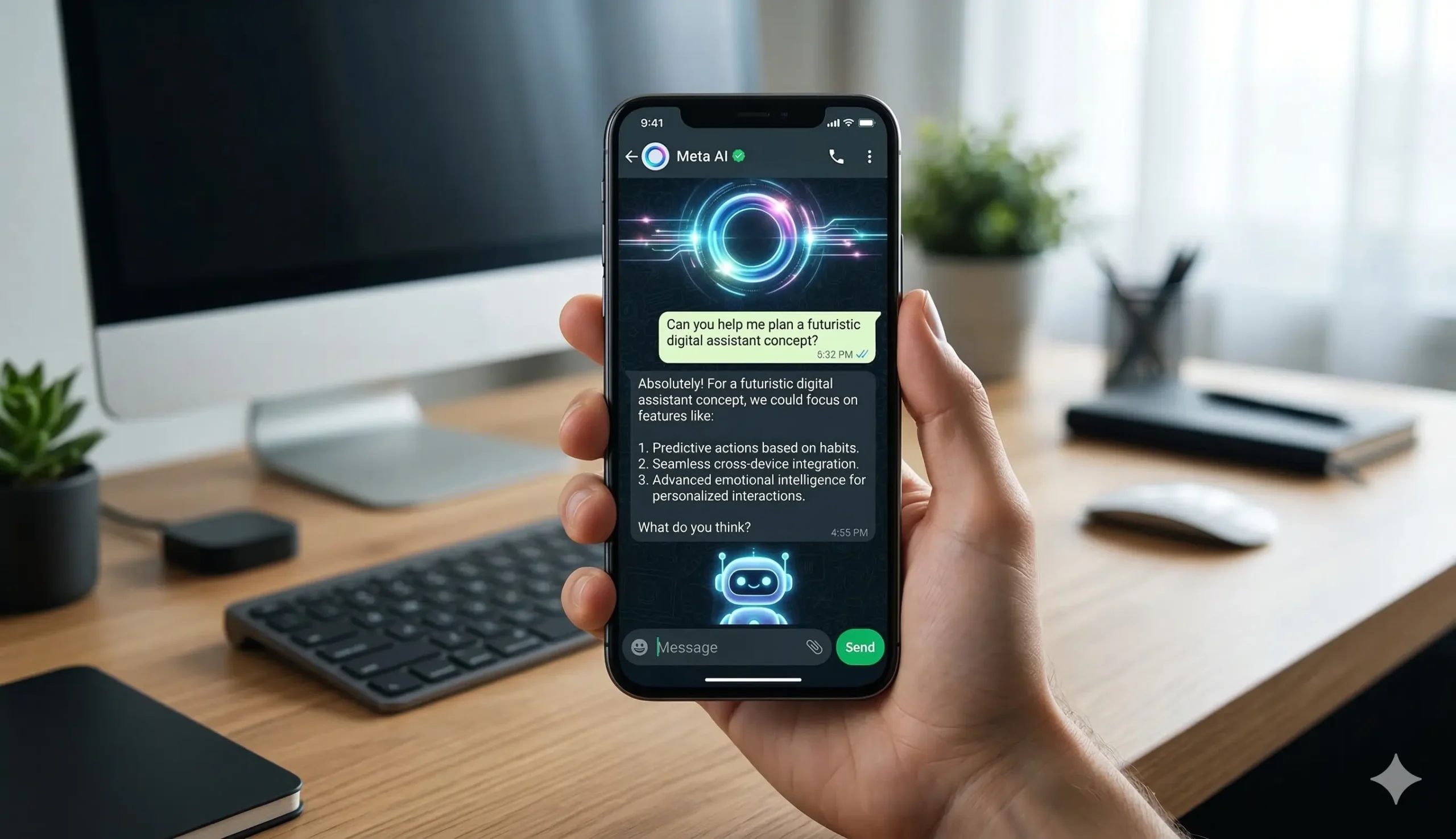
Meta has introduced its own artificial intelligence inside WhatsApp called Meta AI. In some countries, you can already chat with this assistant directly inside the app. It can answer questions, generate images, and provide suggestions.
Because of this feature, some users wonder if they still need ChatGPT integration. The answer depends on what you want from AI.
Meta AI is designed mainly for basic conversations and platform features. It works well for quick questions or simple help. But many people still prefer ChatGPT because it often provides deeper explanations, stronger writing assistance, and more advanced reasoning.
For example, content creators and students often rely on ChatGPT for:
- Long explanations
- Structured writing help
- Coding support
- Research summaries
Meta AI focuses more on integrated messaging features, while ChatGPT is known for advanced conversational intelligence.
That is why many users still search for How to add ChatGPT to WhatsApp instead of relying only on Meta’s built-in AI. They want the flexibility and knowledge base that ChatGPT provides.
Another difference is customization. When you connect ChatGPT through APIs or private bots, you can create a custom AI assistant for your own needs. Businesses, for example, can train the bot to answer specific questions about products or services.
Meta AI currently does not offer the same level of customization for most users.
Because of these differences, learning How to add ChatGPT to WhatsApp remains valuable even in 2026. It allows users to combine the convenience of WhatsApp with the intelligence of ChatGPT
Step-by-Step Methods to Add Chatgpt in Whatsapp
In the previous section, we discussed the basics and the big platform change that happened in 2026. Now let’s focus on the most practical part of this guide the actual methods for How to add ChatGPT to WhatsApp.
Many people search online for How to add ChatGPT to WhatsApp because they want a quick and simple solution. However, after the 2026 platform changes, not every method still works the same way.
The good news is that there are still several reliable ways to connect AI with WhatsApp. Some methods are perfect for beginners, while others are designed for developers and businesses that want more control.
In this section, we will explain three working methods for How to add ChatGPT to WhatsApp. Each method includes simple steps so that even non-technical users can follow along.
Method 1: Using AI Keyboard Apps (The Safest Way in 2026)
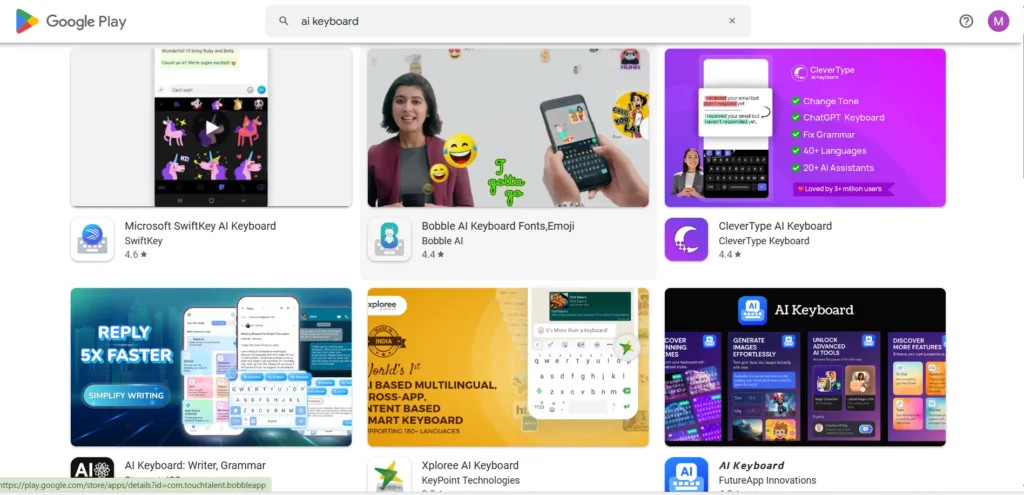
One of the safest and easiest ways to understand How to add ChatGPT to WhatsApp is by using an AI keyboard. Instead of connecting WhatsApp directly to a chatbot, the AI works through your phone keyboard.
This means the AI helps you write messages, generate replies, or improve text while you are chatting on WhatsApp.
A popular keyboard that offers AI features is Microsoft SwiftKey. Many users prefer this option because it is stable, secure, and regularly updated.
Step 1: Install an AI Keyboard
First, open the Google Play Store or Apple App Store on your phone.
Search for an AI keyboard such as:
- Microsoft SwiftKey
- AI Writing Keyboard
- Smart AI Typing Assistant
Download and install the keyboard app.
Step 2: Enable the Keyboard
After installing the keyboard, you need to activate it.
Follow these steps:
- Open Phone Settings
- Go to Language & Input
- Select Keyboard Settings
- Enable the AI keyboard you installed
Once this is done, the AI keyboard will become available for typing.
Step 3: Set the AI Keyboard as Default
Now choose the AI keyboard as your default keyboard.
This ensures that whenever you type a message, the AI features are available.
Step 4: Open WhatsApp and Start Typing
Now open WhatsApp and start a conversation.
While typing a message, the AI keyboard may show options such as:
- Rewrite message
- Generate reply
- Fix grammar
- Translate text
Step 5: Use AI to Generate Messages
Tap the AI feature and enter a prompt such as:
- “Write a polite reply to this message.”
- “Translate this into English.”
- “Make this sentence more professional.”
The keyboard will generate text that you can send directly in WhatsApp.
This is currently one of the easiest ways to experience How to add ChatGPT to WhatsApp without using complicated tools.
Method 2: Custom API Integration Using Twilio or Botpress

For developers or businesses, a more powerful solution for How to add ChatGPT to WhatsApp is API integration.
This method allows you to create your own private AI chatbot that automatically replies to WhatsApp messages.
Many companies use this system for:
- Customer support automation
- AI assistants
- Business chatbots
The most common tools used for this setup include:
Step 1: Create an OpenAI Account
First, visit the OpenAI website and create an account.
After signing up, go to the API dashboard and generate an API key. This key allows your system to send requests to ChatGPT.
Step 2: Get Access to WhatsApp Business API
Next, you need access to the WhatsApp Business API.
Most developers get this through providers like Twilio.
Create an account on Twilio and activate the WhatsApp API sandbox.
Step 3: Connect WhatsApp with Your Server
Now you need a simple server that connects the systems.
The workflow usually looks like this:
User message → WhatsApp API → Server → OpenAI API → Response → WhatsApp
This means when someone sends a message, it is forwarded to ChatGPT and the AI response is sent back.
Step 4: Create the Chatbot Logic
Now you can define how the AI should respond.
For example, you can program the bot to:
- Answer customer questions
- Provide product information
- Generate text replies
- Offer support assistance
Businesses often customize this system to create an AI chatbot for WhatsApp business.
Step 5: Test the Integration
Once everything is connected, send a message to your WhatsApp bot.
If the setup works correctly, ChatGPT will automatically reply.
This is one of the most powerful ways to implement How to add ChatGPT to WhatsApp, especially for automation.
Method 3: Using Luzia or Other Third-Party Bots
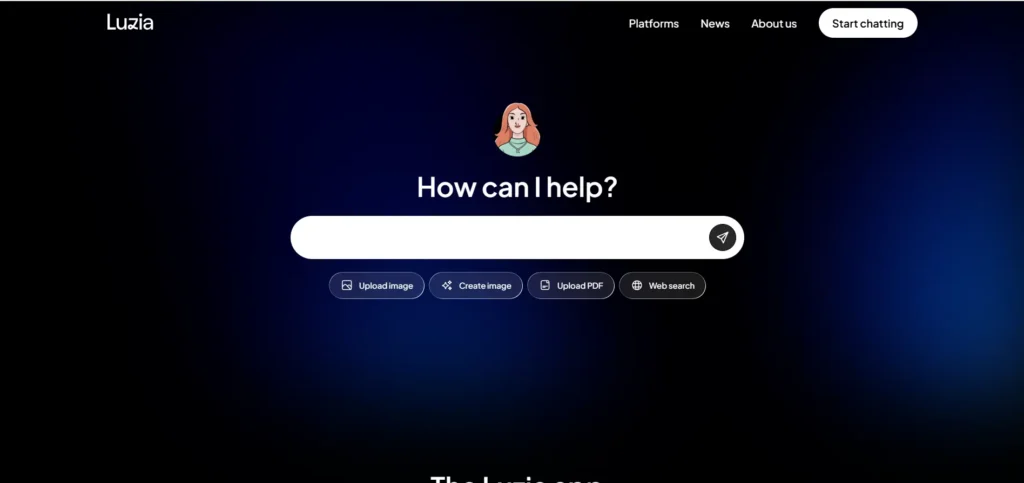
Even though many bots stopped working after the 2026 policy changes, a few trusted AI assistants still operate on WhatsApp.
One popular example is Luzia, which allows users to interact with AI directly through WhatsApp chat.
These services act as intermediaries between WhatsApp and AI models.
Step 1: Visit the AI Assistant Website
Open your browser and search for services such as:
- Luzia AI
- WhatsApp AI assistant bots
Visit the official website of the service.
Step 2: Start the WhatsApp Chat
Most platforms provide a “Start on WhatsApp” button.
When you click it, your WhatsApp will open automatically with the AI bot.
Step 3: Save the Bot Contact
In some cases, you may need to save the AI bot as a contact on your phone.
After saving the contact, open the chat again in WhatsApp.
Step 4: Send Your First Message
Now send a message like:
- “Hello AI”
- “Explain black holes simply.”
- “Write a short Instagram caption.”
The AI assistant will respond within a few seconds.
Step 5: Continue the Conversation
Once the connection is active, you can keep chatting with the AI just like a normal contact.
This is one of the fastest ways for beginners to experience How to add ChatGPT to WhatsApp without coding.
How to Add ChatGPT in WhatsApp on iPhone
If you use an iPhone, you might wonder how to add ChatGPT in WhatsApp on iPhone. The process is very similar to Android, but the setup may involve different apps or settings.
In 2026, the easiest way for iPhone users to access AI while chatting is through AI keyboard apps or trusted AI assistants. These tools allow you to generate responses, translate text, and improve messages without leaving WhatsApp.
Steps to Add ChatGPT in WhatsApp on iPhone
Step 1: Install an AI Keyboard
Open the App Store and download an AI keyboard such as:
- Microsoft SwiftKey
- AI writing keyboard
- Other AI typing assistants
These keyboards allow you to use AI while typing messages.
Step 2: Enable the Keyboard
Go to:
Settings → General → Keyboard → Keyboards → Add New Keyboard
Select the AI keyboard you installed.
Step 3: Allow Full Access
Many AI keyboards require full access to provide AI features.
Enable it so the keyboard can generate responses.
Step 4: Open WhatsApp
Now open WhatsApp and start typing a message.
The AI keyboard will provide options such as:
- Rewrite message
- Generate reply
- Translate text
- Improve grammar
This is one of the simplest ways to learn how to add ChatGPT in WhatsApp on iPhone without using complex integrations.
How to Use ChatGPT on WhatsApp for Free
Many users search online for how to use ChatGPT on WhatsApp for free. While some advanced integrations require payment, there are still a few ways to try AI inside WhatsApp without spending money.
The key is choosing tools that offer free plans or trial features.
Free Ways to Use ChatGPT on WhatsApp
1. AI Keyboard Apps
AI keyboards often provide basic AI writing tools for free. You can generate replies and improve messages while typing in WhatsApp.
2. Free AI Assistants
Some services allow limited AI conversations inside WhatsApp.
These tools usually provide:
- Free daily messages
- Limited AI responses
- Trial access
3. OpenAI Free Credits
Developers testing How to add ChatGPT to WhatsApp using APIs sometimes receive small free credits from OpenAI. These credits allow temporary testing before paid usage begins.

How to Add ChatGPT in WhatsApp Group
Another common question is how to add ChatGPT in WhatsApp group chats. This feature is especially useful for teams, study groups, and businesses that want an AI assistant available during group discussions.
Adding AI to a WhatsApp group usually requires a bot or API integration.
Steps to Add ChatGPT in WhatsApp Group
Step 1: Create or Access an AI Bot
First, you need an AI bot connected to WhatsApp. This can be done using tools like:
- Twilio API
- Botpress chatbot
- AI assistant services
Step 2: Add the Bot Contact
Save the bot number on your phone.
Then open the WhatsApp chat with that bot to activate it.
Step 3: Add the Bot to the Group
Open your WhatsApp group and select Add Participants.
Add the AI bot contact to the group.
Step 4: Start Using AI in the Group
Once the bot is inside the group, members can ask questions like:
- “Explain this topic simply.”
- “Summarize this message.”
- “Translate this text.”
The AI assistant will respond in the group chat.
This method allows teams and communities to experiment with how to add ChatGPT in WhatsApp group conversations.
Pricing, Security & FAQs
In the previous sections, we explained the basics and the working methods for How to add ChatGPT to WhatsApp. By now, you understand that there are several ways to connect AI with WhatsApp, including AI keyboards, API integrations, and trusted third-party assistants.
However, before you start using these tools, there are two important things you must understand. The first is pricing. Many people believe that ChatGPT integrations are completely free, but that is not always true. The second is security and privacy, which is very important when using AI tools connected to messaging apps.
In this final section, we will explain the real cost of AI integrations, the safety rules you should follow, and the most common questions people ask about How to add ChatGPT to WhatsApp.
Best AI to Add ChatGPT to WhatsApp
Before choosing a method for How to add ChatGPT to WhatsApp, it helps to understand which tools work best in 2026.
Some tools are perfect for beginners, while others are designed for developers or businesses.
Here is a simple comparison table.
| AI Tool | Best For | Difficulty | Free Plan | Notes |
|---|---|---|---|---|
| Microsoft SwiftKey AI Keyboard | Beginners | Very Easy | Yes | Safest method for personal use |
| Luzia AI | Casual users | Easy | Limited | Simple AI assistant in WhatsApp |
| Twilio + OpenAI API | Developers | Advanced | No | Full chatbot automation |
| Botpress + OpenAI | Businesses | Advanced | Limited | Custom AI chatbot |
For most beginners learning How to add ChatGPT to WhatsApp, the AI keyboard method is usually the easiest and safest option.
Businesses, however, often prefer API integrations because they allow automation and customization.
Is It Free? OpenAI API Pricing Explained
One of the most common questions people ask when searching for How to add ChatGPT to WhatsApp is whether the service is free. The answer is a little more complicated than a simple yes or no.
One of the biggest questions people ask when learning How to add ChatGPT to WhatsApp is whether the service is free.
The truth is that some methods are free, but advanced integrations usually cost money.
For example:
- AI keyboards often have free versions
- Some WhatsApp AI bots offer limited free chats
- API integrations usually require pay-as-you-go pricing
OpenAI provides initial free credits to new users, but after that the API works on a usage-based system.
This means you pay based on:
- Number of requests
- Message length
- AI model used
Here is a simplified example of how API costs work.
| Usage Type | Example Use | Cost Type |
|---|---|---|
| Personal testing | Small chatbot project | Very low |
| Medium website bot | Blog assistant | Low to moderate |
| Business automation | Customer support chatbot | Higher usage |
Privacy and Security Rules
Whenever people search for How to add ChatGPT to WhatsApp, they often focus on the technology but forget about security. Messaging apps contain personal conversations, and connecting them to AI systems requires careful attention.
Security is extremely important when using AI tools. When people search for How to add ChatGPT to WhatsApp, they often focus on features but forget about safety.
Always follow these basic rules.
Never Share Passwords
No AI bot should ever ask for:
- Your WhatsApp password
- Email password
- Login credentials
If a bot asks for these, it is unsafe.
Never Share OTP Codes
OTP codes are used for account verification.
Never send:
- SMS verification codes
- WhatsApp login OTP
- Banking OTP
Sharing these codes can lead to account theft.
Avoid Sensitive Information
Try not to send private information such as:
- Bank details
- Identity documents
- Personal addresses
- Confidential business data
Even trusted AI systems should not be used for sensitive data.
Use Trusted Platforms
When learning How to add ChatGPT to WhatsApp, always choose services that:
- Have good user reviews
- Explain their privacy policy
- Clearly state how data is used
This simple check can protect you from many security risks.

Frequently Asked Questions (FAQ)
Can I really use ChatGPT inside WhatsApp?
Yes, it is possible. Several methods allow users to connect AI with messaging apps. Learning How to add ChatGPT to WhatsApp usually involves using AI keyboards, third-party assistants, or API integrations that connect WhatsApp messages with ChatGPT responses.
Is there an official ChatGPT feature inside WhatsApp?
Currently, WhatsApp includes its own assistant called Meta AI in some regions. However, this is different from ChatGPT. People who want advanced AI responses often look for How to add ChatGPT to WhatsApp using external integrations.
Which method is easiest for beginners?
For beginners, AI keyboard tools are usually the simplest solution. They allow users to generate AI-assisted messages while typing without requiring technical setup. This is often the safest way to experience How to add ChatGPT to WhatsApp quickly.
Do I need coding skills to connect ChatGPT to WhatsApp?
Not always. Some tools are designed for beginners and do not require programming knowledge. However, if you want to build a custom chatbot using APIs and automation platforms, basic coding skills may be helpful.
Are third-party WhatsApp AI bots safe?
Some are safe, but others may not be trustworthy. When exploring How to add ChatGPT to WhatsApp, it is important to choose services with clear privacy policies and good reputations. Avoid bots that ask for passwords, OTPs, or sensitive personal data.
Is it safe to use AI bots on WhatsApp?
It can be safe if you use trusted platforms and avoid sharing sensitive data. Always follow basic security practices when exploring How to add ChatGPT to WhatsApp
Can I use ChatGPT on WhatsApp for free?
Yes, some methods allow you to try AI for free. For example, AI keyboards and some bots offer limited free usage. However, advanced API integrations may require payment after free credits end.
Conclusion
Artificial intelligence is quickly becoming part of everyday communication. Messaging apps like WhatsApp are no longer just for chatting with friends—they are now powerful platforms for productivity, learning, and business.
That is why so many users are searching for How to add ChatGPT to WhatsApp in 2026. Connecting AI with messaging allows you to generate ideas, write better messages, translate text, and even automate customer support.
The best method depends on your needs. Beginners can start with AI keyboards, casual users can try AI assistants like Luzia, and developers can build advanced chatbots using APIs.
Just remember two important rules:
- OpenAI API is not completely free after the initial credits.
- Never share passwords, OTPs, or sensitive data with AI bots.
If you follow these guidelines, you can safely explore How to add ChatGPT to WhatsApp and turn your everyday messaging app into a smart AI assistant.
Choosfy.com is a growing platform where you can explore useful AI tools, and alsoFree Ai Tools, simple tech guides, and the latest AI updates. If you want to learn more about AI tools, just search Choosfy.com in Google. You can also check our free AI tools list and discover more helpful posts on our website.
Recommended Articles
- Online Medical Coding and Billing Certification Programs 2026: Courses, Jobs, Salary & Career Guide
- Most People Use AI Tools Wrong — Try These 4 Simple Tricks Instead
- Free AI Tools List 2026: Best Free AI for Video, Image, and Productivity
- AI Tools for Students: Study Faster and Smarter in 2026
- Hidden AI Tools 2026: Powerful New AI Tools Most People Don’t Know
- Make Money with AI: Free AI Tools That Can Help You Earn Online
- How to Get Premium AI Features for Free in 2026
- How to Access Gemini AI Premium Features Free
- 10 Practical Problems ChatGPT Can Solve Better Than a Professional
- How to Use ChatGPT in 2026: Beginner to Advanced Guide
- AI Tools for Handwriting Notes Free in 2026
- AI Trip Planner India
- 20 Best Free AI Content Generator Tools in 2026
- Claude Code 2.0: The AI Coding Assistant Developers Are Switching To

I am Md Amon Sk, a Website Developer with 2 years of experience. As part of the Choosfy Team, I focus on building quality websites and sharing the latest insights on AI tools.

4 thoughts on “How to Add ChatGPT to WhatsApp in 2026: 3 Easy Methods”
Comments are closed.