
Artificial intelligence is becoming an important tool in modern software development. Developers are no longer limited to writing every line of code manually or searching through long documentation pages. With tools like Claude Code, programmers can now get help generating code, debugging problems, and learning new frameworks much faster. Claude Code works like a coding assistant that understands developer prompts and responds with structured explanations and useful code examples. Instead of spending hours trying to solve a programming issue alone, developers can ask the AI for suggestions, solutions, and improvements.
Many programmers are discovering that the quality of results often depends on the prompts they use. A clear and well-structured prompt can help Claude Code produce better code, deeper explanations, and more practical solutions. If you are new to AI coding assistants, it also helps to understand how AI models like Claude are designed to assist developers with coding tasks. Knowing how these systems work can help developers write better prompts and get more useful results.
In this guide, we will explore twelve smart Claude Code prompts that developers can use for real development work. These prompts cover tasks like generating code, debugging problems, learning frameworks, and improving application architecture. Many developers today are exploring how AI coding assistants help developers write code faster and improve productivity in modern software development
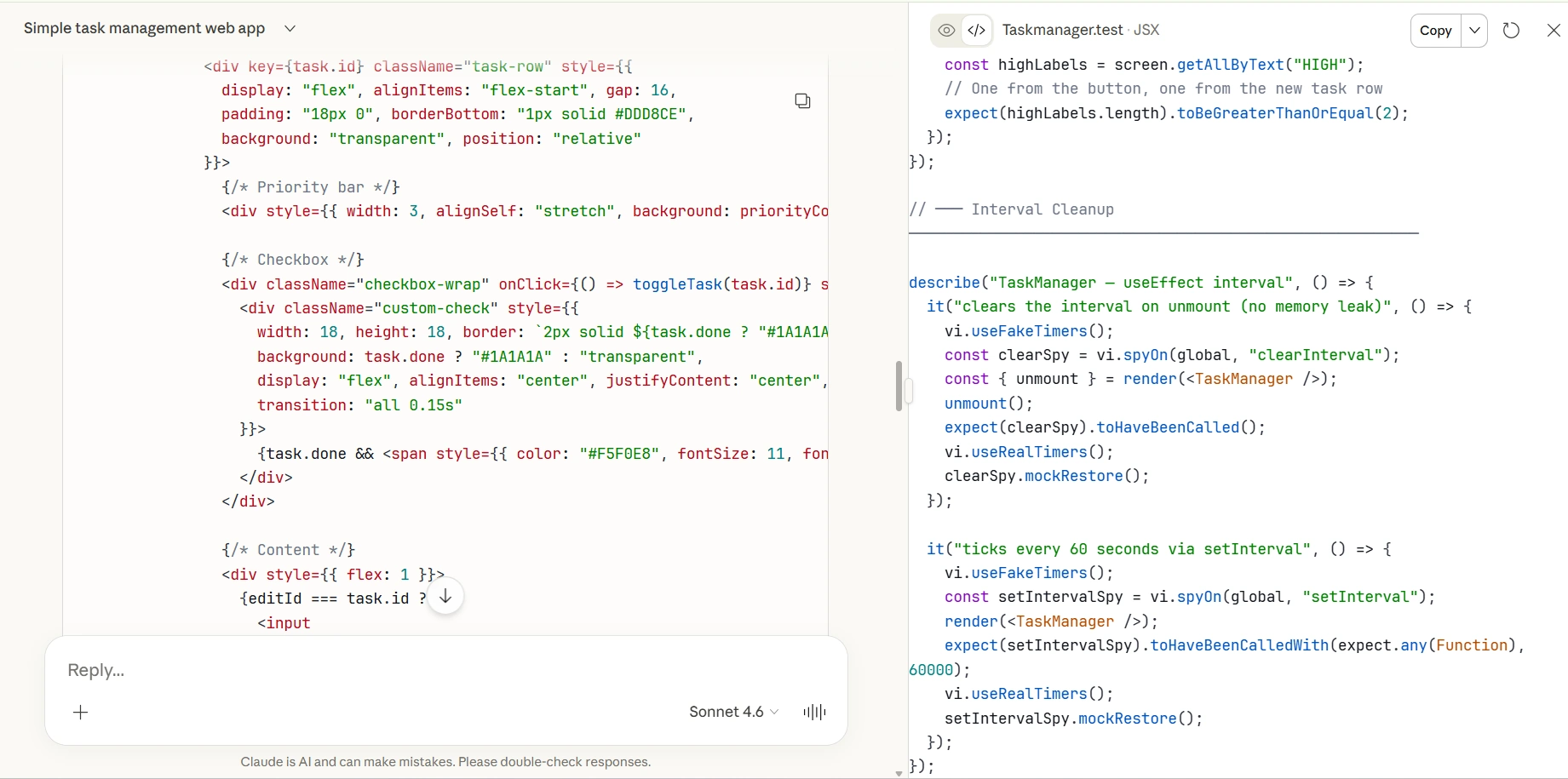
12 Smart Claude Code Prompts Every Developer Should Try
1. Generate a Complete Backend Feature
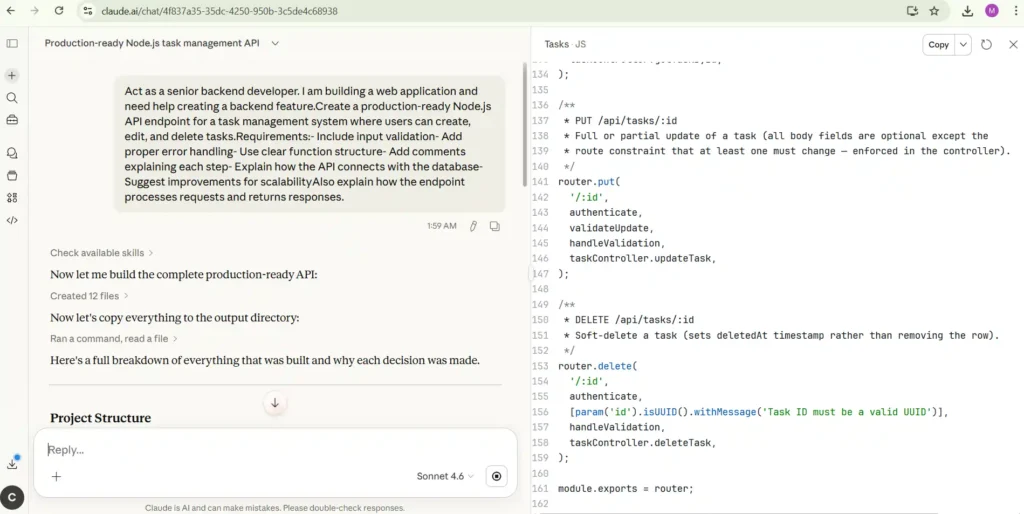
When developers start building a new feature for a web application, the backend structure often takes time to design properly. Claude Code can help by generating a complete backend feature with API endpoints, database logic, and validation rules. Instead of writing every function manually, developers can describe the feature they want and let Claude Code create a structured starting point. This is especially useful for developers building SaaS products, APIs, or startup applications where speed matters. Using this prompt helps ensure the backend code follows good structure, includes proper error handling, and is easier to scale in the future.
Claude Prompt
Act as a senior backend developer. I am building a web application and need help creating a backend feature.

Create a production-ready Node.js API endpoint for a task management system where users can create, edit, and delete tasks.

Requirements:
- Include input validation
- Add proper error handling
- Use clear function structure
- Add comments explaining each step
- Explain how the API connects with the database
- Suggest improvements for scalability

Also explain how the endpoint processes requests and returns responses.
2. Debug and Fix Programming Errors
Debugging is one of the most time-consuming parts of software development. Even experienced developers sometimes spend hours trying to identify why a piece of code is failing. Claude Code can analyze the code, identify logical mistakes, and explain the root cause of the error. This prompt allows developers to understand exactly what went wrong and how to fix it. It is very useful when dealing with runtime errors, API failures, or unexpected behavior in an application. By using Claude Code for debugging, developers can save time and learn from the explanation provided by the AI.
Claude Prompt
Act as a senior software engineer.

Analyze the following code and explain why it is not working correctly. Identify syntax errors, logical mistakes, and possible runtime issues.

Explain the root cause of the bug and provide a corrected version of the code. Also describe why the fix works and how the error could be prevented in future development.
3. Explain Complex Code Clearly
Developers often work with code written by other programmers. Sometimes the logic behind the code can be difficult to understand, especially in large projects. Claude Code can break down complicated functions and explain them step by step in simple language. This helps developers quickly understand how a system works without reading every line manually. It is particularly helpful for developers joining a new team, reviewing open-source projects, or learning advanced programming techniques. How Claude AI models are designed for reasoning and coding tasks
Claude Prompt
Act as a programming mentor.

Explain the following code step by step in simple language. Describe what each function does, how variables interact, and what the overall logic of the program is.

Break the explanation into sections so a developer can easily understand the structure and purpose of the code.
4. Generate a Full Project Structure
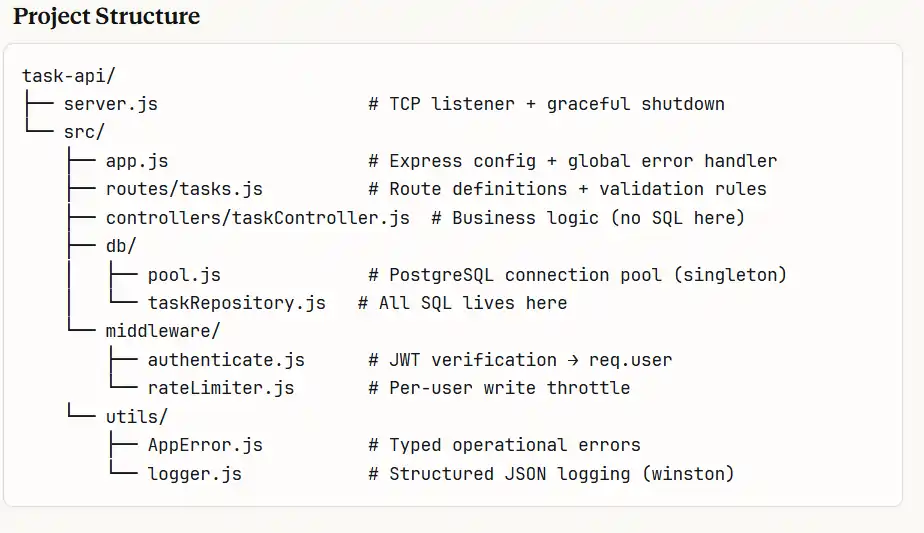
Starting a new project often requires creating a clean folder structure for frontend, backend, and database files. A well-organized structure makes the project easier to scale and maintain. Claude Code can generate a recommended architecture for modern applications using popular technologies like React and Node.js. This prompt helps developers quickly set up a new project while following good development practices.
Claude Prompt
Act as a full-stack developer.

Generate a complete folder and file structure for a modern web application using React for the frontend and Node.js for the backend.

Include folders for:
- components
- services
- routes
- controllers
- database models

Explain the purpose of each folder and how the architecture supports scalable development.
5. Improve and Refactor Existing Code
Over time, code can become messy or difficult to maintain. Refactoring helps improve readability, performance, and maintainability. Claude Code can review existing code and suggest improvements while explaining the changes it makes. This prompt is useful for developers who want cleaner and more efficient code.
Claude Prompt
Act as a code reviewer.

Analyze the following code and refactor it to improve readability, performance, and maintainability.

Follow best practices, simplify the logic if possible, and add meaningful comments explaining the improvements.
Many AI development tools rely on advanced models that show how machine learning powers modern AI development tools.
6. Generate API Documentation
Documentation is important for developers working on shared projects or public APIs. Without proper documentation, it becomes difficult for other developers to understand how an API works. Claude Code can generate clear documentation that includes request parameters, response formats, and example requests. This helps development teams communicate more effectively.
Claude Prompt
Act as a technical documentation writer.

Generate clear API documentation for the following endpoint.

Include:
- API purpose
- request parameters
- response structure
- example requests
- possible error responses

Write the documentation in a clean and developer-friendly format.

7. Design a Database Schema
A well-designed database is critical for scalable applications. Claude Code can help design tables, relationships, and queries for different types of applications. Developers can use this prompt to quickly generate database structures for projects such as task management systems, SaaS tools, or e-commerce platforms.
Claude Prompt
Act as a database architect.

Design a database schema for a task management application with users, tasks, and task categories.

Explain the relationships between tables, primary keys, and foreign keys.

Also provide example queries for inserting and retrieving data.
8. Generate Automated Test Cases
Testing is essential for reliable software. Automated tests ensure that features continue working as expected when new updates are added. Claude Code can generate test cases for functions, APIs, or entire systems. This prompt helps developers build better testing workflows.
Claude Prompt
Act as a QA engineer.

Generate unit tests for the following function using Jest.

Include multiple test cases such as:
- valid input
- invalid input
- edge cases

Explain how each test works and how developers can run the tests.
You can also explore latest research on AI tools for developers to understand how these technologies continue evolving.
9. Suggest System Architecture
Testing is essential for reliable software. Automated tests ensure that features continue working as expected when new updates are added. Claude Code can generate test cases for functions, APIs, or entire systems. This prompt helps developers build better testing workflows.
Claude Prompt
Act as a software architect.

Suggest a scalable architecture for a SaaS web application that supports thousands of users.

Explain the frontend layer, backend services, database structure, and deployment strategy.
10. Convert Code Between Languages
Sometimes developers need to translate code from one programming language to another. Claude Code can convert code while preserving the logic of the original program. This prompt is useful for developers migrating applications or learning new languages.
Claude Prompt
Act as a programming expert.

Convert the following Python code into JavaScript while maintaining the same functionality.

Explain the differences between the two implementations and highlight any important language-specific changes.
11. Generate UI Components
This prompt helps developers quickly build user interface components.
Claude Prompt
Act as a frontend developer.

Create a React component that displays a list of tasks with options to edit, delete, and mark tasks as completed.

Explain how the component manages state and handles user interactions.
12. Brainstorm Product Features
Sometimes developers need ideas to improve their product. This prompt helps generate feature suggestions.
Claude Prompt
Act as a product-focused developer.

Suggest useful features for a productivity web application designed for remote teams.

Explain how each feature would work and how it would improve the user experience.
Why Developers Use Claude Code Prompts
Developers use Claude Code prompts because they help get better and more accurate results from the AI. Instead of using it like a simple chatbot, programmers can write clear prompts that guide Claude Code to generate useful code, explain programming logic, and suggest improvements. This makes Claude Code a helpful coding assistant for everyday development tasks. Many developers also compare different AI coding assistants, so it’s useful to explore Claude Code vs ChatGPT for developers to see which tool works better for programming tasks.
Another reason developers use Claude Code prompts is productivity. Many programmers keep Claude Code open while working so they can quickly generate code, debug errors, and explore new ideas without leaving their development environment. By using smart prompts, developers can solve problems faster and focus more on building applications instead of spending time searching for answers.
Conclusion
AI coding assistants are becoming essential tools for developers. Claude Code helps programmers move faster by generating code, explaining complex logic, and suggesting improvements for real projects.
By using the right prompts, developers can save time, improve productivity, and build applications more efficiently. As AI technology continues to evolve, tools like Claude Code will likely become a standard part of the software development workflow.
Choosfy.com is a growing platform where you can explore useful AI tools, and alsoFree Ai Tools, simple tech guides, and the latest AI updates. If you want to learn more about AI tools, just search Choosfy.com in Google. You can also check our free AI tools list and discover more helpful posts on our website.
Recommended Articles
- Most People Use AI Tools Wrong — Try These 4 Simple Tricks Instead
- Free AI Tools List 2026: Best Free AI for Video, Image, and Productivity
- AI Tools for Students: Study Faster and Smarter in 2026
- Make Money with AI: Free AI Tools That Can Help You Earn Online
- Claude Code 2.0: The AI Coding Assistant Developers Are Switching To
- Claude AI Is Down Worldwide: Anthropic Confirms Major Outage Affecting Users
- Why Hasn’t India Built a ChatGPT-Level AI Yet?
- How to Use ChatGPT in 2026: A Complete Guide for Beginners
- 10 Practical Problems ChatGPT Can Solve Better Than a Professional
- Ranked: Most ChatGPT Users by Country List in 2026
- 7 Best Free AI Tools for Email Marketing in 2026- Tested & Compared
- How to Access Gemini AI Premium Features Free
- 10 Practical Problems ChatGPT Can Solve Better Than a Professional
- How to Use ChatGPT in 2026: Beginner to Advanced Guide
- How to Use ChatGPT Voice Mode: The Ultimate 2026 Guide

I am Md Amon Sk, a Website Developer with 2 years of experience. As part of the Choosfy Team, I focus on building quality websites and sharing the latest insights on AI tools.

3 thoughts on “Claude Code Prompts: 12 Smart Prompts Every Developer Should Try”
Comments are closed.